How to Write an Invoice: A Complete Guide (Free Template)
A step-by-step guide to writing a professional invoice, what legally needs to be on it, and how to generate one free in your browser with LocalBill.
14 August 2026 · 10 min read
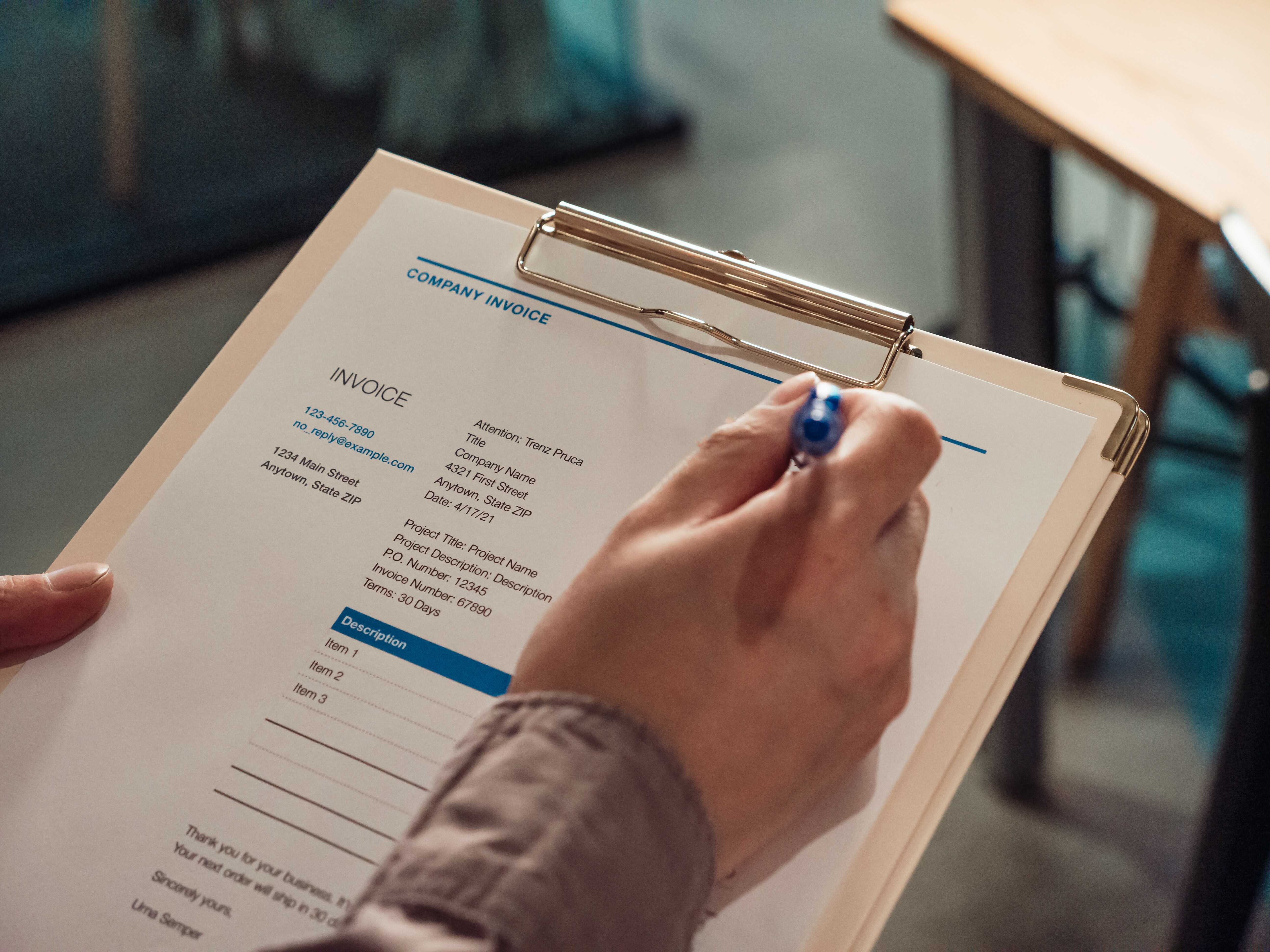
How to Write an Invoice: A Complete Guide (Free Template)
https://www.portant.co/blog-thumbnails/how-to-write-an-invoice.jpeg
If you need to invoice a client right now, here's the short version: an invoice needs your business details, the client's details, a unique invoice number, a date and due date, an itemized list of what you're billing for, the total amount, and your accepted payment methods. You can generate one free in your browser with LocalBill — no signup, no watermark — and come back to this guide for the details on doing it right.
The Direct Answer: What Goes on an Invoice
Every invoice, regardless of industry, needs these core elements:
- Your business name, address, and contact details
- The client's name and billing address
- A unique invoice number (for your own records and theirs)
- Invoice date and payment due date
- An itemized list of goods or services, with quantity, unit price, and line total
- Subtotal, tax (if applicable), and total amount due
- Accepted payment methods and any late-payment terms There's one thing worth knowing before you go further: in the United States, there is no single federal law dictating exactly what an invoice must contain — requirements come from your state and industry, not one national rulebook. So the list above is the practical baseline that satisfies clients, accountants, and most state rules at once; always confirm anything industry- or state-specific (like sales tax display rules) with your own state's tax authority.
Why the Details Matter
An invoice does two jobs at once: it's a request for payment, and it's a financial record. Get the details wrong and you risk both a client who won't pay on time and a document that doesn't hold up if your books are ever reviewed. The IRS doesn't require any specific invoice format, but it does expect small businesses to keep records that are "permanent, accurate, and complete" enough to support what you report as income — which means a vague or incomplete invoice can come back to bite you later, not just the client who's slow to pay.
Step-by-Step: How to Write an Invoice
1. Start with your business information
Business name, address, phone number, and email. If you operate as a sole proprietor, your own name is fine — just be consistent across every invoice you send.
2. Add the client's details
Full name or company name, billing address, and a contact email. If you're invoicing a company, address it to the person who actually approves payment, not a general inbox — invoices with a named contact tend to get paid faster.
3. Assign an invoice number
Use a sequential system (INV-0001, INV-0002...) rather than a date-based or random number. This makes it trivial to spot gaps, duplicates, or missing invoices later, and it's what your accountant will thank you for.
4. Set the invoice date and due date
The invoice date is when you issue it. The due date is when payment is expected — "Net 15" or "Net 30" (15 or 30 days) are the most common terms. Be explicit rather than just writing "Net 30" if you're not sure your client knows what that means.
5. Itemize the work
List each product or service on its own line, with a clear description, quantity, unit price, and line total. "Consulting services — $2,000" tells a client almost nothing; "Website redesign — homepage & 4 interior pages — $2,000" tells them exactly what they paid for, which cuts down on payment disputes.
6. Calculate subtotal, tax, and total
Add up the line items for your subtotal, apply sales tax if it applies to your state and industry, and show the tax rate and amount as its own line — don't bury it in the total.
7. State your payment terms and methods
List exactly how you accept payment (bank transfer, card, check) and any late-payment policy. If you charge a late fee, state the percentage and when it kicks in — surprise fees are a fast way to damage a client relationship.
8. Send it and keep a copy
Send the invoice, and keep your own copy in a system you can search later. This is also where a saved receipt/invoice book (rather than a folder of loose PDFs) makes tax season considerably less painful.
Example: A Simple Freelance Invoice
| Field | Example |
|---|---|
| From | ABC Web Services, 12 Main St, Austin, TX |
| To | Smith & Co Ltd, 42 Market Lane, Bath, BA1 1AA |
| Invoice # | INV-0001 |
| Date / Due | Aug 14, 2026 / Sep 13, 2026 (Net 30) |
| Line item | Website development — 1 × $500.00 |
| Line item | Hosting setup — 2 × $25.00 |
| Subtotal | $550.00 |
| Tax (10%) | $55.00 |
| Total | $605.00 |
| Payment method | Bank transfer |
Common Invoice Mistakes to Avoid
- Vague line items. "Services rendered" invites questions and delays. Be specific.
- No due date. "Payable upon receipt" is easy to ignore. A real date creates urgency.
- Inconsistent invoice numbers. Skipping numbers or reusing them makes bookkeeping and audits harder.
- Forgetting sales tax rules. Tax display requirements vary by state — confirm yours before you invoice, not after.
- No payment instructions. If a client has to ask "how do I actually pay this?", you've already lost time.
- Not keeping a copy. If you can't produce the invoice later, you can't prove the income or the deduction.
Practical Tips
- Reuse a template. Once you've set your invoice format, don't rebuild it from scratch every time — duplicate the last one and swap in new details.
- Keep a consistent numbering system even across different clients; it's what makes your records auditable.
- Set a default due date (Net 15 or Net 30) so you're not deciding payment terms client-by-client.
- Export a backup of your invoice records periodically rather than relying on one device or one browser tab.
Do It With LocalBill
LocalBill's invoice generator covers every element above — business and client details, sequential numbering, itemized line items, tax calculation, and payment terms — and generates a real PDF directly in your browser. There's no account to create and no document upload: your business and client data stays on your device, which the privacy architecture page explains in detail.
If you bill the same client repeatedly, the duplicate last month feature reuses their details with a new invoice number in one click. And if you work in a specific trade, the template library includes presets — freelancer, contractor, consulting, and others — tuned to what clients in that field expect to see.
Frequently Asked Questions
Is an invoice legally required? In most cases there's no law requiring you to issue a formal invoice for every transaction, but it's standard business practice and often necessary for the client's own accounting and tax purposes.
What's the difference between an invoice and a receipt? An invoice is a request for payment sent before or at the time of delivery. A receipt is proof that payment has already been made.
Do I need to charge sales tax on my invoice? That depends on your state, your industry, and what you're selling — there's no single national rule in the US. Check with your state's department of revenue if you're unsure.
How long should I keep copies of invoices? The IRS generally recommends keeping business records for at least three years, and longer in specific situations, such as claims involving bad debt or unreported income.
Can I edit an invoice after I've sent it? Once sent, it's best practice to issue a corrected or credit invoice rather than silently editing the original — this keeps your numbering and your client's records consistent.
Do I need special software to create an invoice? No — a free browser-based generator like LocalBill's invoice generator produces a real PDF without any signup or software installation.
Conclusion
A good invoice is specific, consistent, and easy for a client to act on: clear business and client details, a sequential number, itemized work, a real due date, and payment instructions. Get those right and most payment delays disappear on their own. When you're ready, you can create a free invoice with LocalBill in under a minute — no account, no watermark, and your data never leaves your device.
Sources
- Internal Revenue Service — Topic no. 305, Recordkeeping — supports record retention periods (3–7 years depending on circumstance)
- Internal Revenue Service — Taking care of business: recordkeeping for small businesses — supports general IRS recordkeeping standard ("permanent, accurate, and complete")
Need a document right now? LocalBill builds it in your browser — nothing is uploaded.
Create a free receipt